




Golf Cart Controller Problems (Click But No Go / No Response Fix)
You hear the click. The solenoid is working. But your golf cart still won’t move.
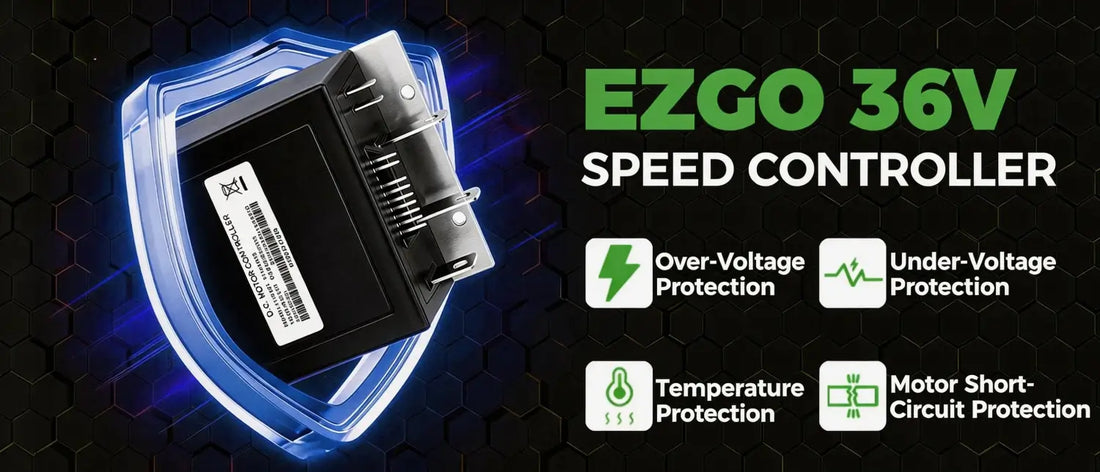
If you’ve already tested the solenoid and it passed, your next suspect should be the controller. Often called the “brain” of your electric golf cart, the controller manages power from the batteries to the motor. When it fails, your cart can become completely unresponsive—even with good batteries and a working solenoid.
This guide will walk you through the 7 most common controller failure symptoms, how to distinguish controller problems from other issues, and step-by-step diagnostic methods to confirm if your controller needs replacement.
Quick Diagnosis: Controller vs. Solenoid
Before diving deep, use this quick reference to narrow down where the problem lies:
| Symptom | Solenoid Problem | Controller Problem |
|---|---|---|
| Single click, no movement | ✅ Classic | ✅ Possible (if solenoid tests good) |
| No click at all | ❌ Unlikely | ✅ Possible (controller not sending signal) |
| Solenoid tests good, cart still dead | ❌ | ✅ Most likely |
| Cart moves but very slow | ❌ | ✅ Speed control failure |
| Jerky acceleration | ❌ | ✅ Controller output unstable |
| Diagnostic LED flashing error code | ❌ | ✅ Definitive sign |
The key takeaway: If your solenoid clicks but your cart doesn’t move—and you’ve already confirmed the solenoid is working—the controller is the next logical suspect.
👉 If you haven’t tested your solenoid yet, start here: How to Test a Golf Cart Solenoid with a Multimeter

What Does a Golf Cart Controller Do?
The controller is the electronic brain of your electric golf cart. It:
-
Receives input from the accelerator pedal (throttle position)
-
Sends power to the motor based on how much you press the pedal
-
Manages direction (forward/reverse)
-
Protects the system from overcurrent, overheating, and low voltage
When the controller fails, these functions stop working properly—or stop working at all.
7 Signs Your Golf Cart Controller Is Failing
Symptom #1: Solenoid Clicks, But Cart Won’t Move
What you experience: You press the pedal, hear the solenoid click, but the cart doesn’t budge. You’ve tested the solenoid and it’s good. The batteries are charged.
Why it happens: The controller isn’t sending power to the motor after the solenoid closes. The solenoid is doing its job—closing the circuit—but the controller isn’t completing the connection.
This is the most common controller failure symptom.
Symptom #2: No Click, No Response, but Lights Work
What you experience: The lights and accessories work, but when you press the pedal, there’s no click and no movement.
Why it happens: The controller isn’t sending the activation signal to the solenoid. The solenoid never gets the command to close.
Symptom #3: Diagnostic LED Shows Error Code
What you see: Most modern controllers have a small LED light that flashes in specific patterns. If it’s blinking a code (e.g., 2 flashes, pause, 3 flashes), the controller is telling you exactly what’s wrong.
What it means: This is the most definitive sign of a controller problem. Look up the code in your service manual.
| Common Error Code | Meaning |
|---|---|
| 1 flash | Low battery voltage |
| 2 flashes | High battery voltage |
| 3 flashes | Controller overheating |
| 4 flashes | Throttle signal error |
| 5 flashes | Motor voltage error |
Symptom #4: Cart Moves But Very Slow (Limp Mode)
What you experience: The cart moves, but it’s painfully slow—no faster than 5-8 mph, regardless of how far you press the pedal.
Why it happens: The controller has detected a fault and entered “limp mode” (reduced power mode) to protect itself and the motor. This can be caused by overheating, low battery voltage, or internal failure.
Symptom #5: Jerky or Stuttering Acceleration
What you experience: When you press the pedal, the cart lurches, hesitates, or stutters instead of accelerating smoothly.
Why it happens: The controller’s output to the motor is unstable. This can be caused by a failing controller, a bad throttle signal, or loose connections between the controller and motor.
Symptom #6: Controller Gets Extremely Hot
What you feel: After running the cart for a short time, the controller is too hot to touch. You may also smell a burning electronic odor.
Why it happens: Internal components are failing, creating excessive resistance and heat. This is a serious sign—continued use can cause a fire.
⚠️ If you smell burning or the controller is extremely hot, disconnect the battery immediately and do not run the cart until the controller is replaced.
Symptom #7: Cart Only Moves in One Direction
What you experience: Forward works, but reverse doesn’t (or vice versa). The solenoid still clicks in both directions.
Why it happens: The controller’s direction control circuit has failed. Some controllers have separate internal circuits for forward and reverse.

How to Diagnose a Golf Cart Controller (Step by Step)
Before You Begin: Safety Warning
⚠️ Controllers handle high voltage and high current.
-
Always disconnect the main negative battery cable before touching controller wires
-
Capacitors inside the controller can hold a charge for minutes after disconnecting—wait at least 5 minutes
-
If you’re not comfortable working with high-voltage systems, seek professional help
Step 1: Check the Diagnostic LED
Locate the LED on your controller (usually a small light near the wiring terminals).
-
Turn the key on
-
Press the accelerator pedal
-
Observe the flash pattern
If you see a flashing code, look it up. This is your fastest path to diagnosis.
Step 2: Verify Solenoid Is Working
Before condemning the controller, confirm the solenoid is actually closing:
-
With a multimeter, place probes on both large solenoid terminals
-
Press the pedal
-
You should see full battery voltage (36V or 48V) when the pedal is pressed
If you see voltage, the solenoid is closing—move to Step 3.
If you don’t see voltage, the problem is in the solenoid circuit, not the controller.
Step 3: Check for Controller Output
With the solenoid closed (pedal pressed), check for voltage at the controller’s motor output terminals.
-
Set multimeter to DC volts
-
Place probes on the controller’s M- and B+ terminals (or A1 and A2, depending on your controller)
-
Press the pedal
| Reading | What It Means |
|---|---|
| Battery voltage | Controller is sending power to motor—problem may be motor or wiring |
| 0V or very low voltage | Controller is not sending power—likely bad controller |
| Erratic voltage | Controller output unstable—likely failing controller |
Step 4: Check Throttle Signal
The controller needs a throttle signal to know how much power to send.
-
Locate the throttle input wires (usually 2 or 3 wires from the pedal box)
-
With the pedal at rest, measure resistance between throttle wires
-
Press pedal slowly and watch resistance change
| Reading | What It Means |
|---|---|
| Smooth resistance change | Throttle is likely good |
| No change or erratic | Throttle sensor may be bad (GCOR or potentiometer) |

Common Controller Failure Causes
| Cause | Prevention |
|---|---|
| Overheating | Ensure controller has adequate airflow; clean debris from heat sink |
| Water damage | Keep controller dry; avoid driving through deep water |
| Low voltage operation | Replace weak batteries; never run cart on dead batteries |
| Short circuits | Inspect wiring for bare spots; use correct amperage components |
| Age | Controllers typically last 5-10 years; replacement is normal |
Controller vs. Motor: How to Tell Them Apart
Sometimes a no-go condition is caused by the motor, not the controller. Here’s how to differentiate:
| Test | Controller Problem | Motor Problem |
|---|---|---|
| Voltage at controller output | Low or zero | Normal voltage |
| Motor resistance test | Normal | Abnormal (open or short) |
| Burning smell | Electronic smell | Burnt insulation smell |
| Unusual noise | None | Grinding or humming |
Can You Repair a Golf Cart Controller?
In most cases, no.
Controllers are sealed, solid-state electronic devices. While some specialized shops can repair them, the cost is often close to replacement—and reliability after repair is never guaranteed.
For most owners, replacement is the best option.
How to Choose a Replacement Controller
When replacing your controller, match these specifications:
| Specification | What to Look For |
|---|---|
| Voltage | Must match your system (36V or 48V) |
| Amperage | Continuous and peak ratings—match or upgrade |
| Model compatibility | Must work with your motor and cart brand |
| Programmability | Some controllers allow tuning for performance |
👉 Shop 10L0L Golf Cart Controllers – direct-fit options for EZGO, Club Car, and Yamaha
Controller FAQ
Q: My cart clicks but won’t move. Is it the solenoid or the controller?
A: Test the solenoid first (it’s easier and cheaper). If the solenoid tests good, the controller is the next suspect.
Q: Can a bad battery damage a controller?
A: Yes. Low voltage operation and loose connections can cause voltage spikes that damage controllers. Keep batteries healthy and connections tight.
Q: How long do golf cart controllers last?
A: Typically 5-10 years, depending on usage and environmental conditions.
Q: Will a controller fail suddenly or gradually?
A: Both. Some fail suddenly (no output), others gradually (slower speed, erratic operation).
Q: Can I upgrade my controller for more speed?
A: Yes, but you must ensure the motor and batteries can handle the increased current. Upgraded controllers often require upgraded cables and solenoid.
Final Thoughts
If your golf cart clicks but won’t move—and you’ve already confirmed the solenoid is working—the controller is the most likely culprit.
Diagnose it with the steps above, and if replacement is needed, choose a quality controller that matches your cart’s specifications. With a new controller, your cart will be back to smooth, reliable operation.
Need a replacement controller? 10L0L carries direct-fit options for EZGO, Club Car, and Yamaha electric carts. Fast shipping, 2-year warranty, and expert support.